The TERM=xterm environment variable is not particularly crucial for the display of esxtop itself. However, setting the correct value for the TERM variable is important for ensuring that terminal applications, including esxtop, are displayed properly.
The TERM variable specifies the type of terminal that a user is employing. Different terminal types may have different capabilities and features. When you set TERM=xterm, you are essentially telling the system that your terminal emulator supports the xterm terminal type.
For esxtop, like many other terminal-based applications, setting the correct TERM variable helps in determining how the application interacts with the terminal emulator. It ensures that the application’s output is formatted and displayed appropriately, taking into account the capabilities of the terminal being used.
In the case of esxtop on VMware ESXi hosts, it’s generally run in a console environment or through an SSH session. If your terminal emulator is indeed xterm-compatible, the TERM=xterm setting is likely unnecessary, as modern terminal emulators often handle this automatically.
While running esxtop you might see below value which is not formatted :
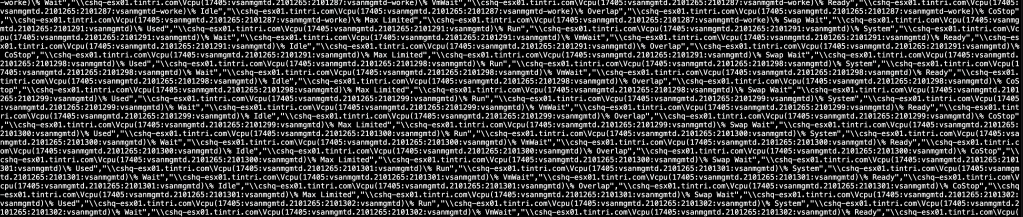
Validate the current terminal declaration type::
[root@cshq-esx01:~] echo $TERM
xterm-256color
Change the type to :::TERM=xterm
[root@cshq-esx01:~] TERM=xterm
[root@cshq-esx01:~] echo $TERM
xterm
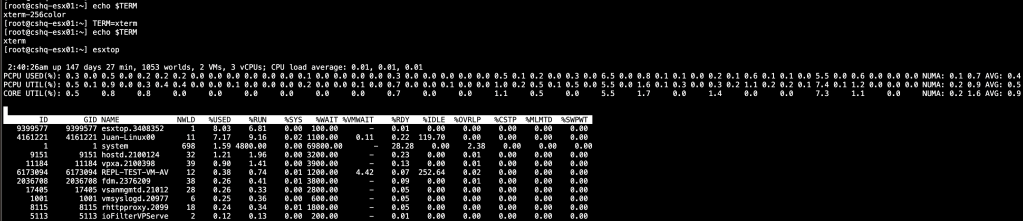
If you want a permanent solution and using Remote Desktop Manager ::
Terminal–> Types –> Environment Variables to “xterm” from “xterm-256color”

 VMwareBlogs